
How to Start Dropshipping Without Strip
How to Start Dropshipping Without Strip
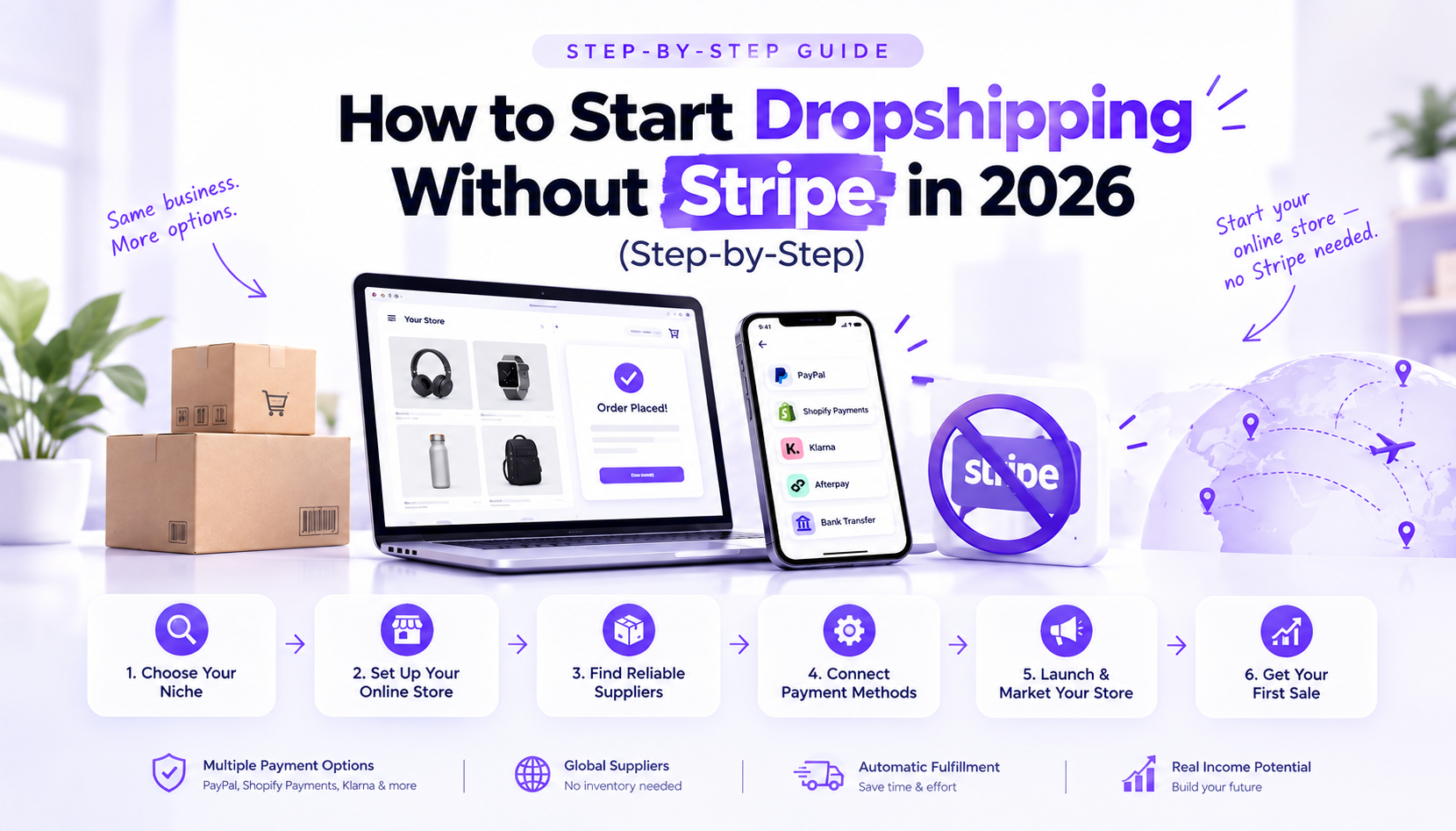
Yes, you can start dropshipping without Stripe. Stripe treats dropshipping as a high-risk category, and it's only available in around 46 countries, so a large share of sellers get rejected or shut down before they ever make a sale. The fix isn't to give up on ecommerce, it's to pick a dropshipping payment gateway that was actually built to work with suppliers, long shipping times, and beginner sellers.
This guide walks through why Stripe blocks so many dropshipping stores, which alternatives actually work, and the exact steps to launch a store today, even with no Stripe account and a small budget.
Why Stripe Rejects So Many Dropshipping Stores
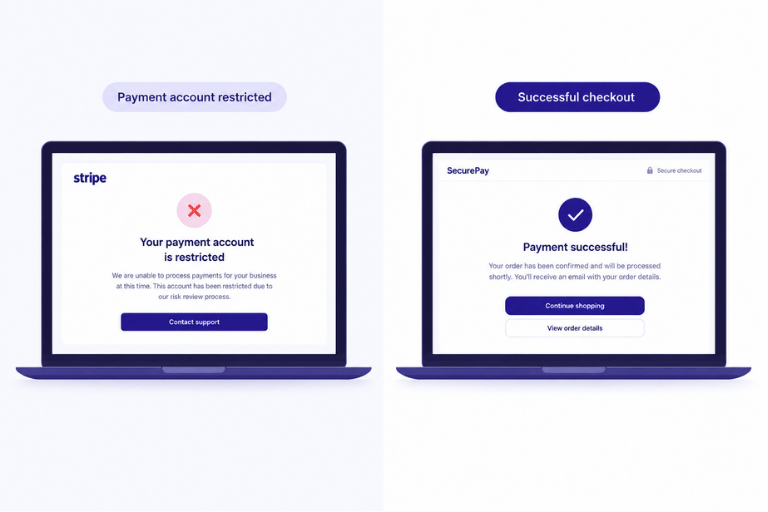
Stripe isn't anti-dropshipping on purpose. It's a risk problem. Dropshipping orders often take longer to arrive than orders from a seller who holds their own stock, and longer delivery windows mean more customer disputes. Stripe's risk system flags that pattern quickly, especially for new accounts with no processing history.
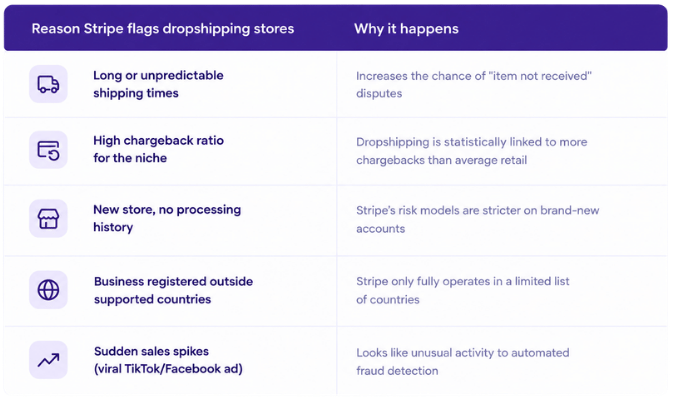
None of this means dropshipping is against the rules, it means you need a dropshipping payment gateway designed around how dropshipping actually works, not a general-purpose processor built for SaaS and local retail.
Stripe Unsupported Countries and Dropshipping
One of the most common reasons sellers search for dropshipping without Stripe isn't risk, it's geography. Stripe is only fully available in roughly 46 countries. If your business is registered somewhere outside that list, much of Africa, South Asia, and several emerging ecommerce markets, you can't open a standard Stripe account at all, no matter how solid your store is.
This is one of the biggest stripe unsupported countries dropshipping problems beginners run into: they build the store first, then discover at checkout setup that Stripe simply isn't an option where they live. Planning your payment method before you build the store avoids that wasted work.
How to Start Dropshipping Without Stripe: Step by Step
- Pick a product to test. Don't overthink this, choose one product with clear demand and a reasonable margin, not ten products at once.
- Build a store or landing page. A single, focused product page converts better for a first test than a full multi-page store.
- Connect a payment method that isn't Stripe. This is the step most guides skip, see the comparison below.
- Set up fulfillment before you launch. Know exactly how an order will move from "customer pays" to "product ships."
- Launch with a small ad budget and watch the data. You're testing demand, not trying to scale on day one.
Best Stripe Alternatives for Dropshipping
There's no single "best" option, it depends on where you're based and how much setup time you want to spend. Here's how the main choices compare.
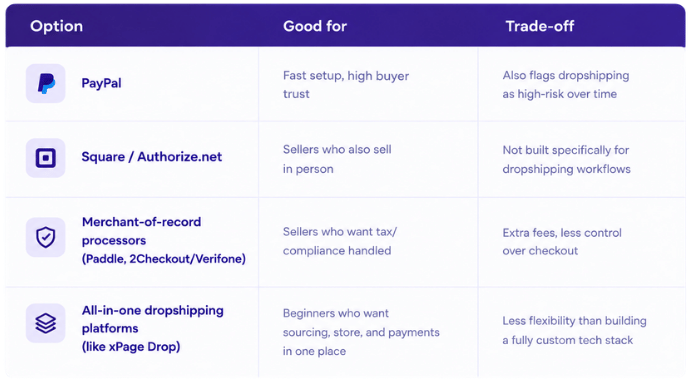
If your main goal is speed and simplicity rather than building a custom payment stack, a stripe alternative for dropshipping that's bundled with your store and supplier is usually the least painful route for a first product test.
Dropshipping Payment Methods Beyond Cards
To sell online without Stripe, you don't need to replace it with just one processor, you need a mix of dropshipping payment methods that match how your customers actually pay:
- Card payments processed through a non-Stripe gateway
- PayPal or a similar digital wallet at checkout
- Buy-now-pay-later options in markets where they're common
- A payment infrastructure bundled into your store platform, so you're not managing a separate merchant account at all
That last option is where platforms built specifically for dropshipping, rather than general ecommerce tend to save the most setup time.
How xPage Drop Lets You Start Dropshipping Without Stripe
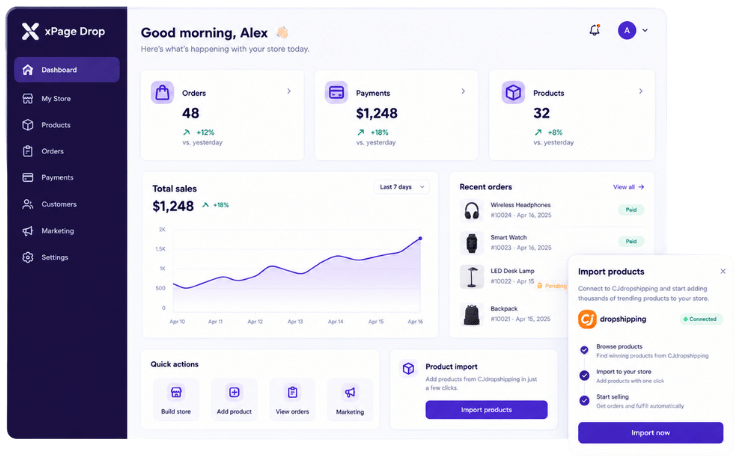
xPage Drop combines the pieces sellers normally have to assemble separately: a store and landing page builder, product sourcing and fulfillment, payment processing, and other essential tools, all inside one dashboard. Instead of applying for your own merchant account, opening a payment gateway is not something you set up separately, checkout runs on xPage's own payment infrastructure, so a Stripe rejection doesn't stop you from launching.
This doesn't mean every friction point disappears, you still need a real product, a real offer, and real ad testing. What it removes is the specific blocker this article is about: needing your own approved Stripe account before you can start dropshipping without Stripe. Products can ship from multiple warehouses depending on what you're selling, and orders, payments, and store activity are all managed from a single seller dashboard, with marketing integrations like Klaviyo for follow-up emails.
Ready to Launch?
You don't need an approved Stripe account to test your first product. Start building your xPage Drop store, import a product, and get your payment setup live in one place.
Frequently Asked Questions
- Can I really dropship without a Stripe account?
- Yes. Stripe is one processor among many, and plenty of dropshipping-specific platforms handle payments without requiring you to open your own Stripe merchant account.
- What's the best dropshipping payment gateway for beginners?
- There's no universal answer, but beginners with no processing history usually have the easiest time with a bundled platform rather than applying to multiple standalone gateways at once.
- How do I accept payments without Stripe if I'm just starting out?
- Use a store platform that already has a payment method built in, or apply to a card processor and PayPal separately and connect both to your store's checkout.
- Why does my country show up as unsupported on Stripe?
- Stripe only fully operates in a limited set of countries. If yours isn't on that list, you'll need a payment gateway or platform that operates independently of Stripe's country restrictions.
- Is dropshipping without Stripe less trustworthy for customers?
- Not inherently, what builds buyer trust is a clear checkout, visible contact information, and reliable delivery, not which specific payment brand appears at checkout.